Each organization can create independent SQLite databases and bind them to
Workers using Wrangler’s d1_databases configuration. No MySQL or PostgreSQL
server is involved. Databases persist on their selected service host across
Worker deployments and service restarts.
Create, migrate, and deploy
Use an organization read-write token after following Connect Wrangler. Tokens created before database permissions were introduced retain their original permissions; create a new token rather than expecting an existing credential to gain access silently.
npx wrangler d1 create my-databaseCopy the returned ID into your Worker configuration:
[[d1_databases]]
binding = "DB"
database_name = "my-database"
database_id = "<returned-uuid>"
Add SQL files under the Worker’s migrations/ directory, then:
npx wrangler d1 migrations apply DB --remote
npx wrangler deploy
The supported CLI surface is create, list, info, delete, execute --command,
and migrations list/apply. Bulk import (execute --file), export, Time Travel,
and replicas are not implemented; they are not silently emulated. Migration
SQL and its bookkeeping execute in one transaction per migration. Do not put
explicit BEGIN, COMMIT, or savepoints inside a migration.
Inside a Worker:
const session = env.DB.withSession("first-primary");
const row = await session.prepare("SELECT title FROM items WHERE id = ?")
  .bind(1).first();
const bookmark = session.getBookmark(); // synchronous, like the D1 interfaceprepare, bind, first, all, raw, run, batch, exec, and sessions
use the pinned upstream workerd D1 JavaScript client. The synchronous client
lives inside the tenant isolate; a platform-owned capability transports queries
to the database service. The service credential and organization scope are not
application environment variables.
See the database + assets example. Its database ID is a placeholder; use the ID returned for your organization.
Console and access
Choose Databases in the organization sidebar. Create a database, open its details, copy its binding configuration, inspect lifecycle events, or run SQL from the Query tab. The initial query lists schema objects.
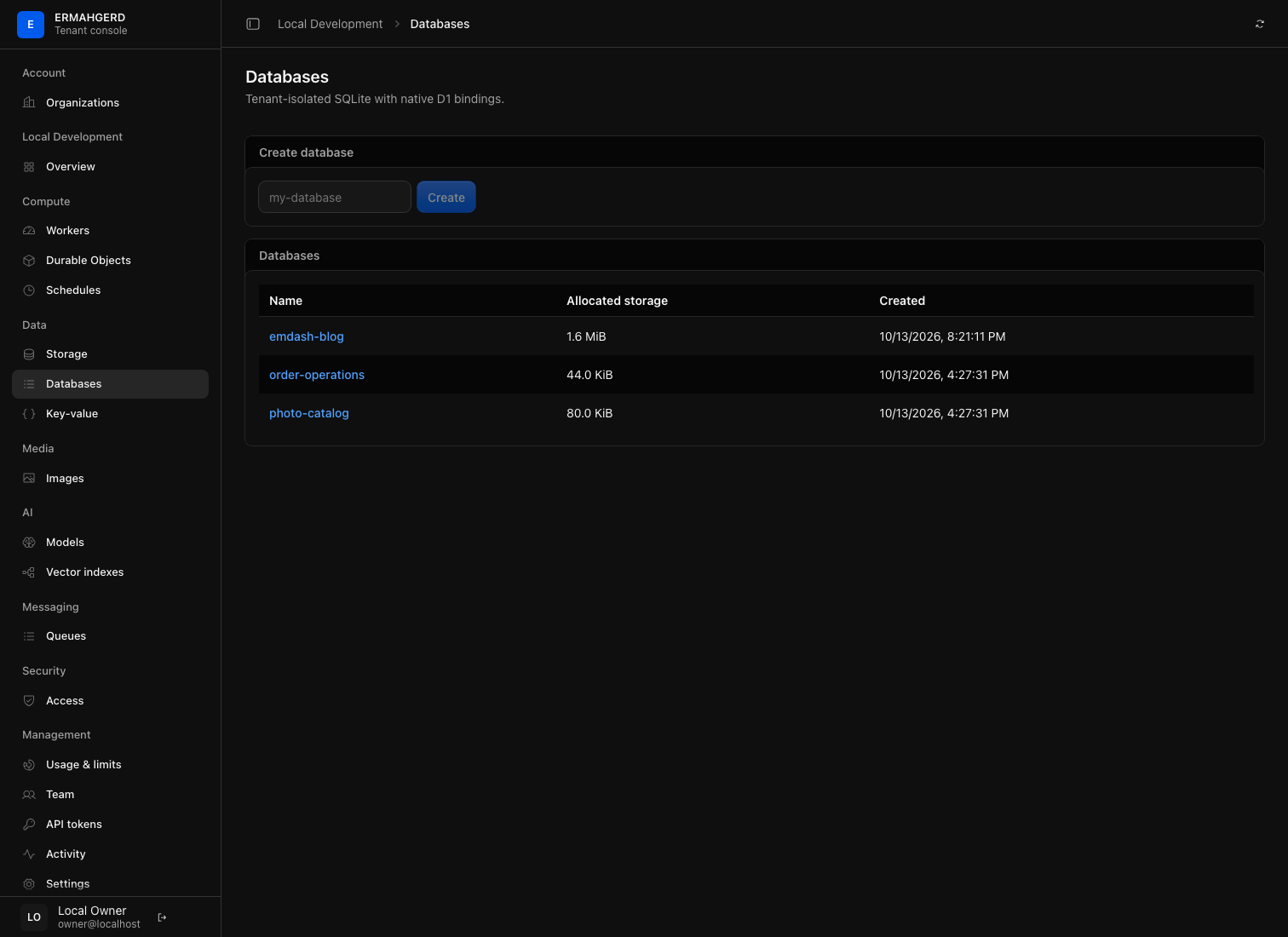
Queries default to read-only and SQLite enforces that restriction, including indirect writes. Observers cannot disable it. Members, admins, and owners can use the write path. SQL and parameters are intentionally absent from page URLs, metrics, logs, and spans. Database identity and the selected tab are deep-linkable.
Deleting a database is permanent and breaks existing bindings to it. The console requires typing the database name. Keep independent copies of important data; this release does not provide a database backup/restore product.
Isolation, capacity, and consistency
There is one shared ermahgerd-database service, with a separately owned SQLite file
for each database and a separate catalog for organization ownership. Both
deployment-time binding checks and query-time lookup enforce organization
ownership. Knowing another organization’s database UUID does not grant access.
SQLite authorization denies ATTACH, filesystem functions, extension loading,
internal platform tables, transaction control, and unsafe PRAGMAs. SQL uses
bound parameters. JSON functions and FTS5 are available. Expensive queries are
interrupted by the SQLite progress handler; bounded admission, result sizes,
and a systemd memory/CPU budget contain resource consumption.
Database allowances follow the organization tier: Free permits 3 databases and 128 MiB of allocated pages, Standard permits 10 and 1 GiB, and Enterprise permits 25 and 4 GiB. Each database is limited to 1 GiB. These are separate from R2 bucket and static asset allowances. Quota growth is reserved before committing; a failed reservation rolls back the SQL transaction. Startup reconciliation repairs holdings from actual database files. Existing no-growth queries do not need a quota-service round trip after reconciliation.
Current execution limits: 100 KiB SQL, 100 statements per batch, 100 bound parameters, 1 MiB values, 10,000 result rows and 4 MiB results per call, a 2-second SQL deadline and bounded admission waits. Organization operations are serialized; up to eight organizations can execute concurrently. WAL and temporary files consume additional host disk space beyond logical page quotas.
This single-node service has no replication lag or eventual-consistency mode. Session bookmarks identify committed database sequence numbers and survive service restarts. Worker version rollback does not roll back database data or schema: use backward-compatible migrations. Database loss/restore is not masked as a new bookmark history.
SQLite’s standard Python interface does not expose rows scanned, so
meta.rows_read is deliberately absent rather than fabricated for billing.
rows_written reflects SQLite changes, not a Cloudflare billing guarantee.
Investigate an issue
Review database activity in the console and Usage & limits for quota enforcement. Query errors and slow application SQL do not establish a platform outage. Operators can inspect separate admission, execution, and commit signals through Platform observability.
The platform retains engine-enforced query interruption. The operator Runtime isolation guide documents that boundary and how it is evaluated when upgrading.