ermahgerd provides organization-scoped durable queues with the familiar
Cloudflare Workers producer and consumer interfaces. Queues are managed through
Wrangler and the console; Worker code sends with env.QUEUE.send() and consumes
with an exported queue(batch, env, ctx) handler.
Create queues
Configure your connection as described in Connect Wrangler, then create the primary and dead-letter queues:
cd examples
npx wrangler queues create documents
npx wrangler queues create documents-dlq
Queue names are scoped to the authenticated organization. Two organizations may
both own a queue named documents; their registries, broker state, messages,
consumers, and DLQs remain distinct.
Queues do not have a public hostname. Their data plane is deliberately exposed
through scoped Worker bindings, while their management plane uses the authenticated
/accounts/<organization>/queues API.
Produce messages
Declare a producer binding in Wrangler configuration:
{
  "queues": {
    "producers": [{"binding": "DOCUMENTS", "queue": "documents"}]
  }
}
Then send from request or scheduled code:
await env.DOCUMENTS.send({id, document});The trusted runtime adapter captures the calling organization and queue name. Worker code cannot replace that scope or obtain the queue service credential. For diagnosis and manual workflows, a member with queue write access can also use Send message on the queue detail page to enqueue a validated JSON payload with an optional delivery delay. This uses the same durable broker path as a Worker binding.
Consume messages
Attach a Worker consumer through the same Wrangler project:
{
  "queues": {
    "consumers": [{
      "queue": "documents",
      "max_batch_size": 10,
      "max_batch_timeout": 2,
      "max_retries": 3,
      "retry_delay": 1,
      "dead_letter_queue": "documents-dlq"
    }]
  }
}
The Worker exports the native queue handler:
export default {
  async queue(batch, env) {
    for (const message of batch.messages) {
      await env.DOCUMENTS.put(`documents/${message.id}.json`,
        JSON.stringify(message.body));
      message.ack();
    }
  }
};
Wrangler creates or updates the consumer after uploading the Worker. Each delivery resolves the Worker’s current active version, so messages already waiting or retrying can be handled by a newly deployed revision without rewriting queue state.
Delivery, retries, and durability
The dedicated ermahgerd-queue.service hosts all queue registry and broker Durable
Objects. Messages are committed to Durable Object SQLite before send() resolves.
Alarms recover delivery after process restarts. Delivery is at least once: consumers
must make side effects idempotent.
Native ack(), retry(), ackAll(), and retryAll() results control settlement.
An unsuccessful handler retries the batch. When retry attempts are exhausted, the
broker moves the message to the configured queue in the same organization or drops it
when no DLQ is configured. Queue state persists on its selected service host;
it is not replicated or automatically failed over.
The console’s Queues section treats delivery health as a first-class tenant surface. The inventory calls out blocked delivery, large backlogs, and old messages. Each queue has live backlog and message-activity charts, oldest-message age, cumulative delivery/retry/DLQ totals, pending message inspection, consumer settings, and durable delivery events. The detail view refreshes every ten seconds and can be paused while investigating. It highlights five-minute and one-hour age thresholds, backlogs of 100 and 1,000 messages, sudden enqueue growth, recent dead letters, and messages waiting without a consumer.
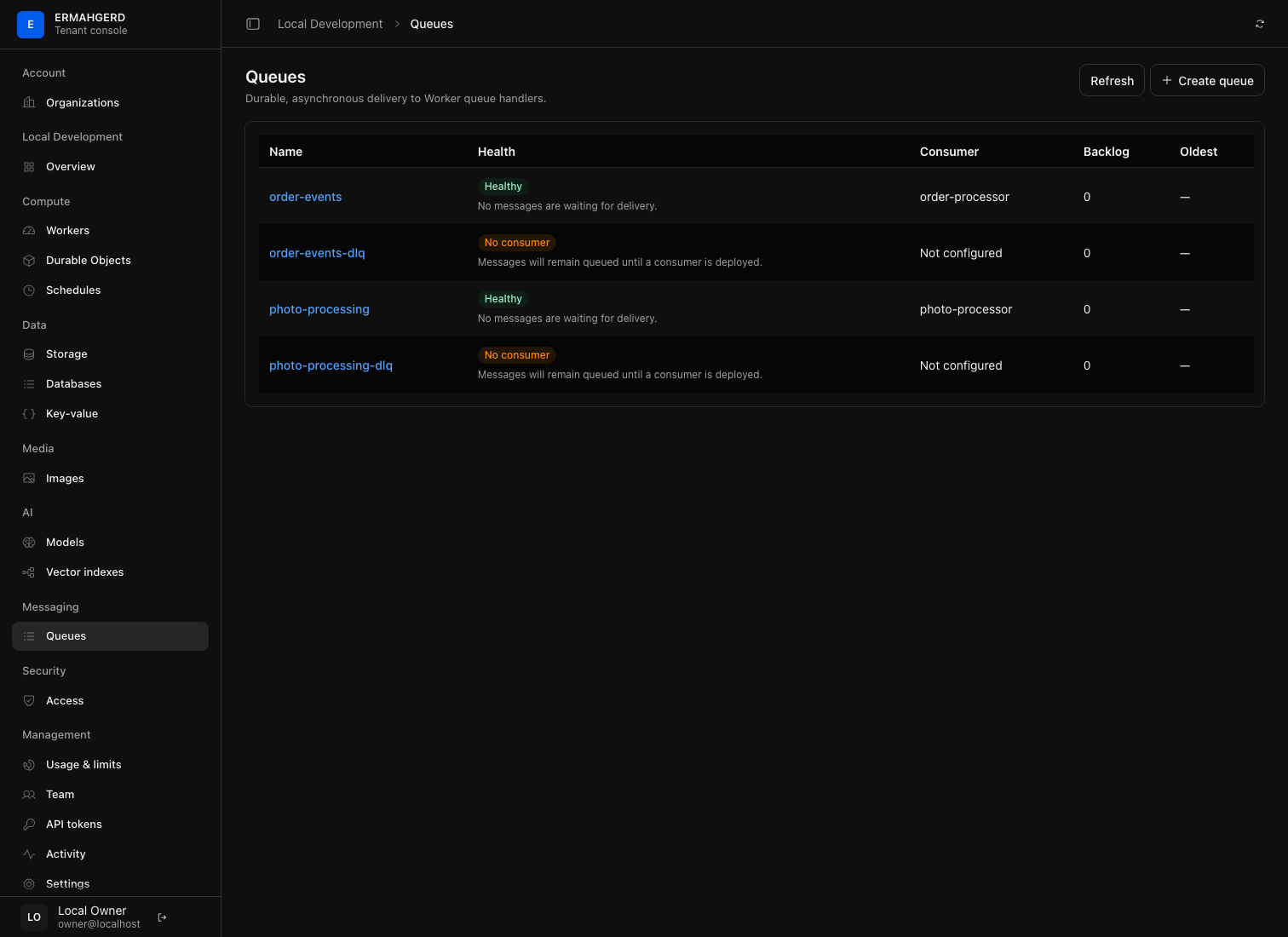
A DLQ is an ordinary queue and can be inspected there. Deletion is rejected while a queue contains messages; purging is a separate confirmed operation. Deleting an empty queue also removes its historical broker state, so recreating the name starts clean.
For a consumer Worker’s invocation outcomes and logs, see Worker observability. Operator delivery objectives are described in Platform observability.
Compose a background workflow
The queue-to-storage example accepts a JSON document over HTTP, enqueues it, and writes it to an R2 bucket from a background consumer. The order pipeline adds database updates, and the photo workflow combines queued image processing and optional AI metadata.